
MEPCO Bill SMS Registration – How to Receive Bill Alerts
Keeping track of your monthly electricity bill can help you avoid missed due dates and unexpected late payment charges. With MEPCO Bill notifications, consumers can stay informed about billing updates and check their electricity charges more conveniently. However, receiving SMS alerts may depend on whether your mobile number is correctly registered with your electricity connection and which notification services are currently available.
This guide explains how to complete MEPCO Bill SMS Registration, update your contact details, check your bill online, and troubleshoot common notification problems.
What Is MEPCO Bill SMS Registration?
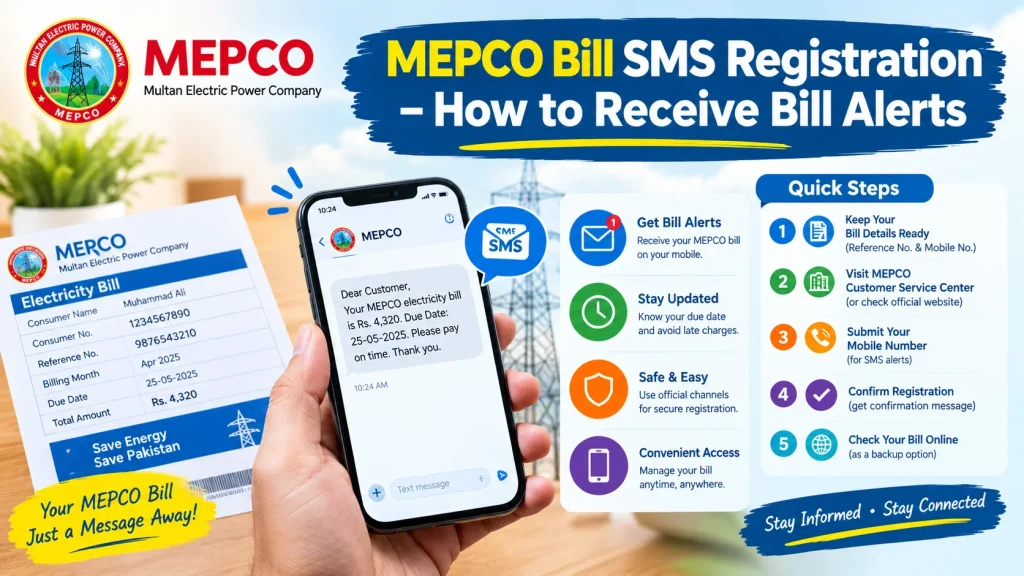
MEPCO Bill SMS Registration refers to associating your mobile number with your electricity connection so you can receive relevant billing or service notifications, where the service is available. MEPCO serves electricity consumers across Multan and surrounding areas.
SMS notifications can be useful because they help consumers keep track of important updates without repeatedly checking their paper bills. Depending on the available service, messages may include billing information, service announcements, or other relevant notifications.
Remember that SMS alerts should not be treated as a replacement for checking your complete electricity bill.
How to Register for MEPCO Bill SMS Alerts
Follow these practical steps to check your registration options and make sure your contact information is up to date.
Step 1: Keep Your Electricity Bill Ready
Find a recent electricity bill before starting the process. Keep the following information available:
- Your 14-digit reference number
- Your consumer or account details, as printed on the bill
- The mobile number you want to register
- The name and address associated with your connection
Check the reference number carefully because an incorrect number can lead to confusion when accessing billing information.
Step 2: Visit a MEPCO Customer Service Center
Contact your nearest MEPCO customer service center or subdivision office and ask how to register or update your mobile number for bill-related SMS notifications.
Take a copy of your latest bill and any identification or supporting documents the office requests. Ask the representative to confirm whether your number is already registered and whether a separate SMS registration procedure is required.
You can find customer service information on the official MEPCO website.
Step 3: Submit Your Correct Mobile Number
Provide the mobile number you regularly use and verify every digit before submitting your request. If the electricity connection is registered under another person’s name, ask the office which documents are required to update the contact information.
Do not assume that submitting a number automatically activates every notification service. Ask whether registration is complete and whether you should expect a confirmation message.
Step 4: Confirm Your Registration
After submitting your request, ask about the expected activation time and how to confirm successful registration. Keep any reference number, receipt, or confirmation message provided by the office.
If you do not receive notifications after the stated period, contact MEPCO again to check whether your mobile number has been recorded correctly.
Step 5: Check Your Bill Online as a Backup
Even if SMS notifications are enabled, checking your bill online is a useful backup. Open your usual MEPCO bill-checking service, enter the required reference number, and review the current bill details.
Compare the amount payable and due date with any notification you receive. Always rely on the complete bill for payment instructions.
Benefits of MEPCO Bill SMS Registration
Registering the correct contact number can make it easier to stay informed when supported notifications are available.
- Better bill awareness: Receive relevant updates without depending entirely on a paper bill.
- Fewer missed deadlines: Reminders may help you plan payment before the due date.
- Convenience: Keep track of service information on your mobile phone.
- Easy access to updates: Stay informed about relevant messages associated with your connection.
The actual notifications you receive depend on MEPCO’s available services and your registration status.
Common SMS Registration Problems and Solutions
Sometimes consumers do not receive expected messages. Check these possible causes before submitting another request.
Incorrect mobile number: Contact the relevant MEPCO office to verify the number recorded against your connection.
Wrong reference number: Compare the number entered online with the reference number printed on your latest bill.
Delayed messages: Check your phone signal, inbox storage, and blocked-message settings. Network or service delays may also affect delivery.
Number changed recently: Ask MEPCO whether you need to submit a new request to update your contact details.
No confirmation received: Contact customer support or visit the relevant office to verify the registration status rather than repeatedly submitting personal information on unofficial websites.
Is MEPCO Bill SMS Registration Free?
Charges and registration conditions can vary by service. Before completing registration, confirm the current terms with MEPCO or through its official website. Do not assume that every third-party registration page is officially operated by MEPCO.
Avoid websites that request unnecessary personal information, banking passwords, or payment details for a basic notification service.
Frequently Asked Questions
How can I register my mobile number for MEPCO bill alerts?
Contact your nearest MEPCO customer service center or subdivision office and ask about the current procedure for registering or updating your mobile number.
What information do I need for registration?
Keep your latest electricity bill, 14-digit reference number, mobile number, and any identification documents requested by MEPCO.
What should I do if I do not receive SMS alerts?
Verify your registered number, check your phone’s messaging settings, and contact MEPCO to confirm whether the service is active.
Can I check my bill without SMS alerts?
Yes. You can use an online bill-checking service with the required reference number to view available bill information.
Conclusion
MEPCO Bill SMS Registration notifications can make monthly bill management more convenient when the relevant SMS service is available and your contact details are correctly registered. Keep your latest bill ready, confirm the current procedure with an authorized MEPCO office, and verify your registration before relying on alerts. Checking your bill online and paying by the due date remain important steps for managing your electricity account.