
MEPCO Bill Paid but Not Updated Online? 7 Easy Fixes
Have you paid your electricity bill, but the payment status still appears unpaid online? This situation can be confusing, especially when your due date is approaching. If your MEPCO Bill Paid but Not Updated Online issue is causing concern, there are several practical steps you can take to verify your payment and resolve the problem.
Payment updates may take time because of processing delays, incorrect payment details, technical issues, or communication problems between the payment provider and the billing system. An unpaid status on the website does not automatically mean your payment has failed.
In this guide, you will learn seven easy fixes, how to verify your transaction, where to check your latest bill, and what to do if the problem continues.
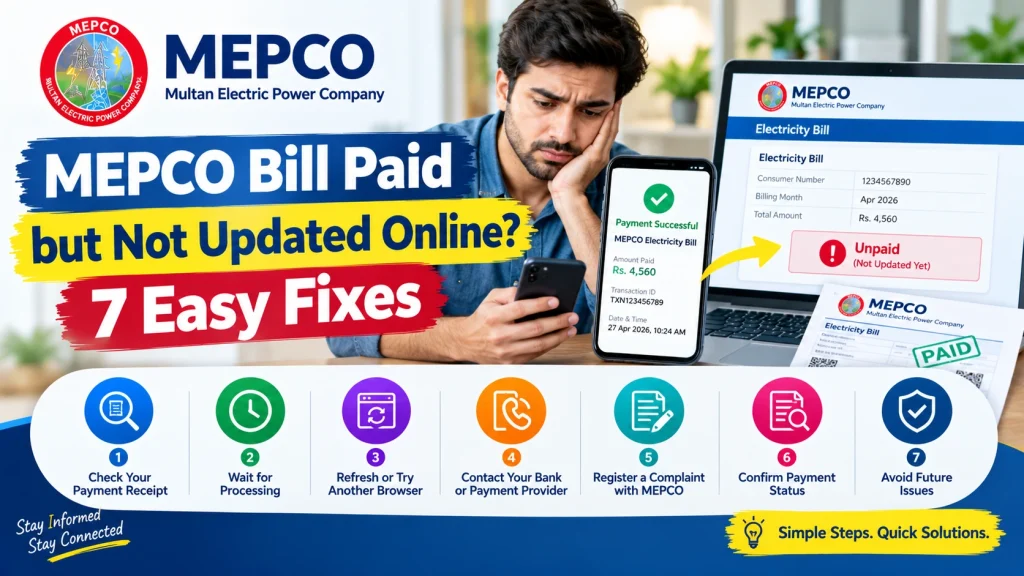
Why Is My MEPCO Bill Payment Not Updated Online?
When you pay a MEPCO electricity bill through mobile banking, internet banking, an ATM, or an authorized payment service, the transaction may not appear immediately in the online billing record.
Common reasons include delayed processing, a pending transaction, incorrect reference details, a temporary website issue, or a payment that has not been successfully completed.
Before paying again, check your payment receipt and transaction status. Making a second payment without verification could result in an unnecessary duplicate payment.
7 Easy Fixes for MEPCO Bill Paid but Not Updated Online
1. Wait for Payment Processing
The first step is to allow some time for the payment to be processed. Some transactions take longer than others to appear in the billing system.
Check your bank or payment application’s transaction history to confirm whether the payment is successful, pending, or failed. If it is still pending, follow the payment provider’s guidance before taking further action.
There is no single guaranteed update time for every payment method, so avoid assuming that the payment has failed simply because the bill still shows an outstanding balance.
2. Verify Your Payment Receipt
Open the mobile banking application, internet banking account, or payment service you used. Find the transaction and review its details.
Check the following information:
- Payment amount
- Transaction date and time
- Transaction ID or reference
- Electricity bill reference number
- Current transaction status
Make sure the payment relates to the correct MEPCO connection. Save a screenshot or download the receipt if available.
If the transaction shows as successful but the bill remains unpaid, keep the receipt ready for a follow-up with your payment provider or MEPCO.
3. Check Your Bill on the Official Portal
Visit the official MEPCO bill portal:
Enter your reference number and follow the instructions to view your available billing record.
Check whether the outstanding amount or payment-related information has changed. Keep in mind that the online bill display and your bank’s transaction history may not update at exactly the same time.
If the bill is still showing the previous amount, save your payment proof and check again later. Do not rely only on a cached screenshot or an old downloaded bill.
4. Refresh the Website or Try Another Browser
Sometimes a browser may display an older version of a page. A temporary internet issue or website problem can also prevent updated information from loading correctly.
Try these simple actions:
- Refresh the official bill page.
- Check your internet connection.
- Open the website in another browser.
- Try a private or incognito window.
- Reopen the page after some time.
These steps can help rule out a local display problem. However, refreshing the page will not correct a payment that is still pending or has failed.
5. Contact Your Bank or Payment Provider
If your receipt confirms a successful transaction but the bill remains unpaid, contact the bank or service through which you made the payment.
Explain that the payment was deducted or marked successful but has not appeared in the MEPCO billing record.
Provide the transaction ID, payment date, amount, and bill reference number when requested through the provider’s official support channel. Ask the provider to confirm the transaction status and whether it was successfully forwarded for bill payment.
Never share your banking password, PIN, or one-time password with anyone claiming to help update your bill.
6. Register a Complaint With MEPCO
If the payment provider confirms that the transaction was successful but the billing record remains unchanged, contact MEPCO through its official website or customer service channels.
Official website: https://mepco.com.pk/
Explain the issue clearly and provide the information requested by the support team, such as:
- Your electricity bill reference number
- Amount paid
- Payment date
- Transaction ID
- Bank or payment receipt
- A screenshot of the outstanding bill status
Ask for a complaint or reference number so you can follow up. Keep copies of the submitted documents until the issue is resolved.
7. Confirm the Final Payment Status
After the payment provider or MEPCO has investigated the issue, check the available billing record again.
Confirm that the payment has been applied to the correct account and that any outstanding balance is accurate. If you receive a complaint reference number, use it when contacting support again.
If your due date is close, contact MEPCO and your payment provider promptly. Do not assume that an online payment attempt automatically guarantees that the bill has been settled.
Should You Pay Your MEPCO Bill Again?
Do not make another payment immediately without checking the first transaction.
If your bank shows the transaction as pending, failed, or reversed, follow the provider’s instructions. If it shows successful, retain the receipt and ask the provider to trace the payment before paying again.
If the payment deadline is approaching and you cannot confirm the transaction, contact the relevant support teams for guidance on your account and payment status. This can help you avoid an unnecessary second payment or an unresolved outstanding balance.
How to Avoid MEPCO Bill Payment Problems
You can reduce the chances of payment confusion by following a few simple precautions:
- Verify your bill reference number before making a payment.
- Check the payable amount and due date.
- Use a bank or authorized payment service.
- Wait for the final transaction confirmation.
- Save your receipt and transaction ID.
- Check the online billing record after payment.
- Contact support promptly if the transaction and bill status do not match.
These habits make it easier to track payments and provide proof if a billing problem occurs.
Frequently Asked Questions
Why is my MEPCO bill showing unpaid after payment?
The transaction may still be processing, the billing record may not have updated, or the payment may not have completed successfully. Check your receipt and transaction status before taking further action.
How long does MEPCO take to update an online payment?
The update time can vary by payment provider and transaction status. Check the provider’s confirmation and contact its support team if the payment remains unreflected.
What should I do if money was deducted but my MEPCO bill is unpaid?
Save the receipt and transaction ID, then contact your bank or payment provider to verify the transaction. If the payment was successful but remains unreflected, contact MEPCO with the relevant evidence.
Can I check my MEPCO bill after paying online?
Yes. Visit https://bill.pitc.com.pk/mepcobill and enter your reference number to view the available bill record.
Where can I complain about a MEPCO payment issue?
Start with the bank or payment provider that processed your transaction. You can also contact MEPCO through its official website at https://mepco.com.pk/ if the payment has not been reflected in your billing record.
Conclusion
If your MEPCO Bill Paid but Not Updated Online issue has not been resolved, start by checking the transaction status and saving your payment receipt. Then verify your bill through the official portal, rule out browser issues, and contact your payment provider if necessary.
If the transaction was successful but the billing record remains unchanged, submit the relevant details to MEPCO and keep your complaint reference for follow-up. Most importantly, verify the first payment before attempting another transaction. Keeping clear payment records will make it easier to investigate the problem and confirm when your bill has been settled.