
MEPCO New Connection Application Status – How to Track Your Request
Applying for a new electricity connection can be an important step when moving into a new home, opening a business, or building a property. After submitting your application, you need to know whether it is under review, awaiting documents, or ready for the next stage. Checking your MEPCO Bill information and application records can help you keep track of your electricity connection requirements.
This guide explains how to check MEPCO New Connection Application Status, which details to keep ready, and what to do if your request appears delayed.
What Is MEPCO New Connection Application Status?
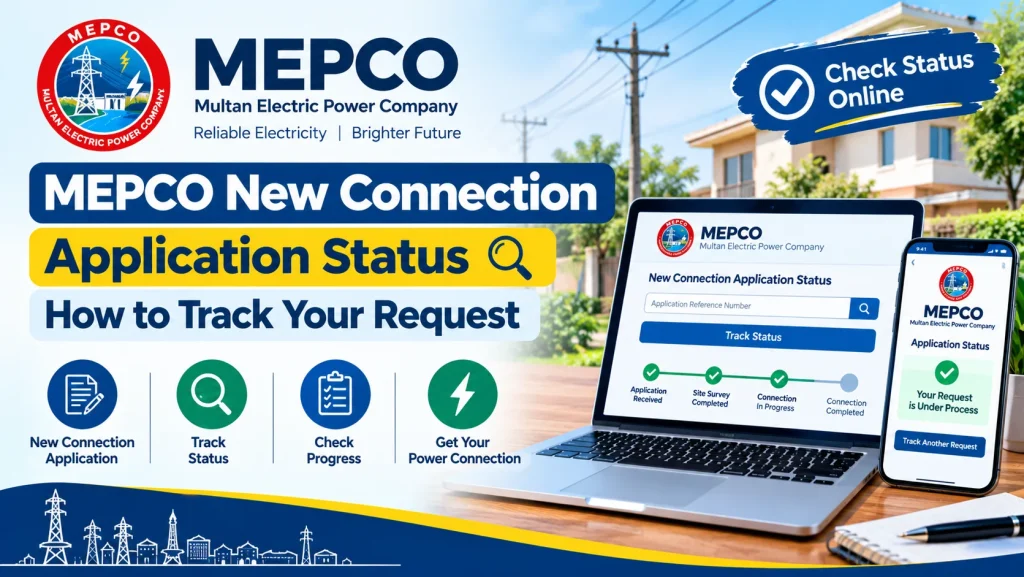
MEPCO New Connection Application Status refers to the current progress of a request submitted for a new electricity connection in the Multan Electric Power Company service area.
Depending on the application and the applicable process, your request may involve document verification, a site survey, a demand notice, payment verification, or installation arrangements. The exact stages can vary according to the connection type and the status of your application.
How to Check MEPCO New Connection Application Status
Follow these steps to track your request using official channels.
Step 1: Keep Your Application Details Ready
Before checking your status, collect the information provided when you applied. This may include:
- Application or tracking number
- Applicant’s CNIC
- Registered mobile number
- Application submission receipt
- Property address and connection details
Use the details requested by the official tracking service. Do not share your CNIC or application information on unknown websites.
Step 2: Visit the Official Electricity Connection Portal
Open the official Electricity New Connection (ENC) portal, where applicable, and look for the application tracking option. Follow the instructions displayed on the portal and enter the requested reference or tracking details.
If the portal does not display your application, contact MEPCO through its official customer service channels to confirm the correct tracking method for your case.
Step 3: Review Your Application Progress
Read the status message carefully. Your application may require additional documents, verification, or further processing. If the portal provides instructions, follow them before submitting another request.
Take note of any reference number or communication related to your application.
Step 4: Check for a Demand Notice
Some new connection applications require a demand notice before the connection can proceed. If one is issued, review the applicant information, connection category, payable amount, and payment deadline.
Pay only through an authorized channel mentioned in the official notice. Keep the payment receipt because it may be needed to verify your payment.
Step 5: Contact the Relevant MEPCO Office
If you cannot access the tracking service or the status has not changed for an extended period, contact the relevant MEPCO subdivision or customer service office. Provide your application number and submission date so staff can locate your request.
Common Application Status Issues and Their Solutions
Application Not Found
Check the application number for typing mistakes and confirm that you are using the correct tracking portal. A recently submitted request may not appear immediately. If the issue continues, ask the relevant office to verify the application record.
Consumers can visit the official MEPCO website to find electricity service information and contact details. For a new electricity connection, applicants can also use the Electricity New Connection (ENC) portal to access application-related services and review available tracking options. Keep your application number and submitted documents ready when checking your request.
Documents Required
Your request may need additional or corrected documents. Review the official instructions and submit the requested material in the specified format. Keep a copy of every document you provide.
Demand Notice Payment Not Updated
If you have paid the demand notice but the record still shows an outstanding amount, keep your receipt and transaction reference. Contact the designated office or payment provider to confirm the transaction before paying again.
Application Processing Is Delayed
Processing time can depend on document verification, site conditions, technical requirements, and administrative procedures. Ask MEPCO for the current status and any outstanding requirements rather than relying on an estimated completion date from an unofficial website.
Documents Commonly Needed for a New Connection
Requirements depend on the connection category and current rules. Applicants may be asked for:
- A completed application form
- A valid CNIC copy
- Proof of ownership or the required property documents
- An electricity connection undertaking or affidavit, where applicable
- Wiring test report or other technical documents, if required
- Any additional documents requested by MEPCO
Confirm the current checklist with the official portal or relevant MEPCO office before submitting your application.
How MEPCO Bill Information Helps After Installation
Once the connection becomes active and billing begins, review your first MEPCO Bill carefully. Check the consumer name, reference number, meter reading, billed units, tariff category, and due date.
If any details appear incorrect, contact MEPCO through an official channel and retain a copy of the bill. Keeping your application records and first bill together can also make future complaints easier to manage.
For electricity bill checking, use your existing consumer or reference details where required. A new connection application tracking number and an electricity bill reference number serve different purposes and should not be confused.
Official Resources for MEPCO Applicants
Visit the ENC portal for applicable new connection application services. You can also visit the official MEPCO website to look for customer service information and contact details.
Always verify fees, demand notice instructions, required documents, and processing updates through official channels. Avoid websites or agents promising guaranteed approval or asking for unofficial payments.
Conclusion
Checking MEPCO Bill details is useful after your electricity connection becomes active, while application tracking helps you follow your request before installation. To check MEPCO New Connection Application Status, keep your tracking number and application documents ready, use official services, and contact the relevant MEPCO office if your record is missing or delayed. Accurate information and payment receipts can help you resolve problems more efficiently.